LexiDrop drops the meaning right beside you — in your browser, in your native language. Highlight any word you don't know and the translation, grammar, and native pronunciation appear in the side panel. No tab switching, no copy-paste — and every word you look up builds into a personal vocabulary bank.
A 25-second loop: select a word, right-click “Look up with LexiDrop”, and watch it drop into your side panel — translated into your language (English, Spanish, Hindi, French, Arabic and 16 more), saved without leaving the page.
Two views from the current build — the side panel you read beside, and the dashboard your library lives in.
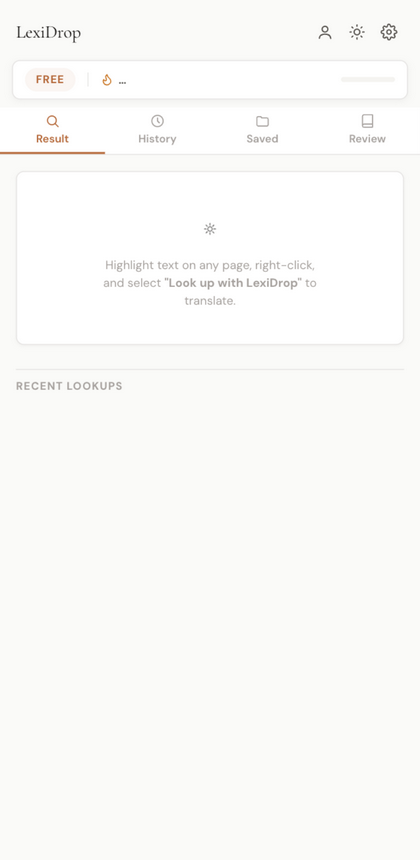
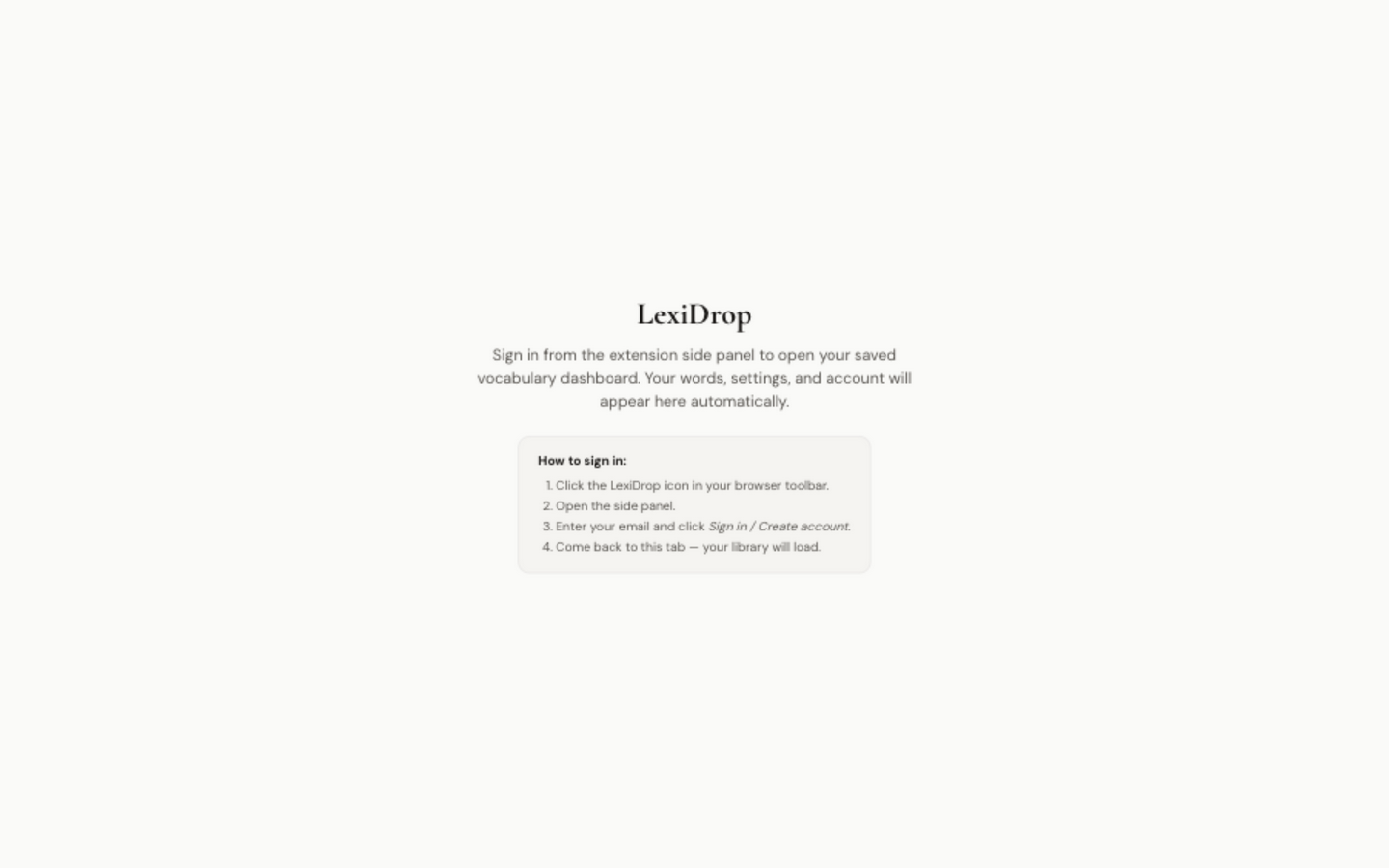
Right-click any word — translation, grammar, pinyin with tone marks, and pronunciation land in the side panel. You never leave the sentence.
Every save keeps the sentence you met the word in, the page it came from, and your tag — searchable, filterable, and yours alone.
A Leitner ladder brings each word back right before you'd forget it — 1 day, then 2, 4, 7, 14, 30. Ten cards a day on Free, unlimited on Pro.
From the private beta — learners reading real pages, in their own language.
“I stopped alt-tabbing to Google Translate mid-article. The meaning just appears next to the page and my reading pace doubled.”
“The saved words keep the sentence I found them in. Reviewing them in context is what finally made them stick.”
“Getting explanations in Bengali instead of English is the part nothing else offers. It feels like a teacher sitting beside me.”
For the reader who already knows the language but meets new words every day.
Highlight a word on the page you're reading and the meaning, grammar, and pronunciation appear right beside it — in the browser's native side panel. No tab switching, no Google Translate, no copy-paste, no broken focus.
Translate into Bengali, Hindi, Urdu, Chinese, Japanese, or any of 21 base languages. Pinyin with tone marks is computed offline for Chinese characters. The page stays in Chinese; the explanation comes to you.
Every word you look up joins your personal library — with the sentence you found it in. Review later with light spaced repetition. Free tier is local-first; Pro adds real-time sync across every device, all gated by Postgres row-level security so no one else can read your words.
No subscriptions, no hidden fees. Try it free, pay once if you want more.
Try everything for free. No credit card, no API keys, no setup.
One payment, forever access — no subscriptions, no trial.
Popup dictionaries answer one word once. LexiDrop turns every unknown word into permanent vocabulary.
Your library is yours. Every AI explanation is produced on the LexiDrop gateway — your selected text is never sent to a third-party model host directly — and your words are isolated to your account. No tracking, no ads, no selling data. That's the product, not an add-on.
Three reading situations where LexiDrop pays for itself in the first paragraph.
Load it as an unpacked extension — same steps on Chrome, Edge, Brave, Arc, Opera, and Firefox.
Grab the latest build — unzip it anywhere on your computer. Download LexiDrop.zip (current build: v2.1.6 — production gateway, Arc fixes, per-account quota, cloud sync for Free saves).
Visit chrome://extensions (or edge://extensions, or about:debugging#/runtime/this-firefox on Firefox).
In Chrome/Edge, toggle the switch in the top-right. Then click “Load unpacked” and select the unzipped LexiDrop folder.
Click the LexiDrop icon in your browser toolbar (pin it first for easy access). The side panel opens — sign in or create an account, and you’re ready to highlight.
Coming soon: Chrome Web Store and Microsoft Edge Add-ons listings. Until then, the download below is the supported install path and always ships the latest version.
Free to start, yours forever. Load the extension in under a minute — your first 20 lookups are on us, every 2 hours.